
What is PerfectPrompt?
PerfectPrompt is a Chrome extension for better AI prompts. It adds prompt improvement, prompt feedback, saved prompts, and prompt templates directly inside supported AI chat apps.
PerfectPrompt is a Chrome extension for better AI prompts. It adds a floating prompt toolkit to major AI chat apps so you can refine, review, save, and reuse prompts without breaking your flow.
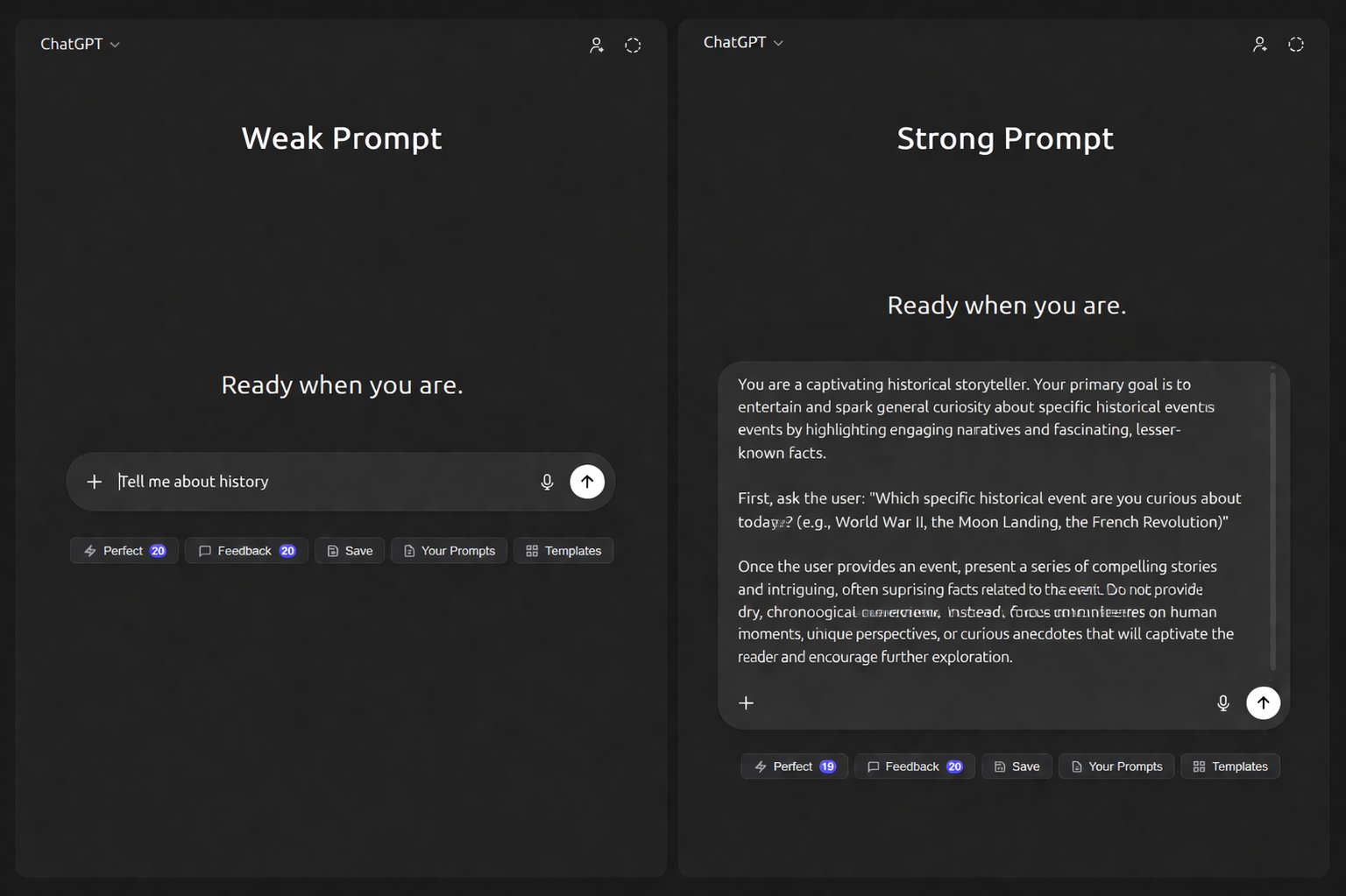
Strong start
Add audience, tone, and desired structure to get a more usable result.
What It Is
Product summary
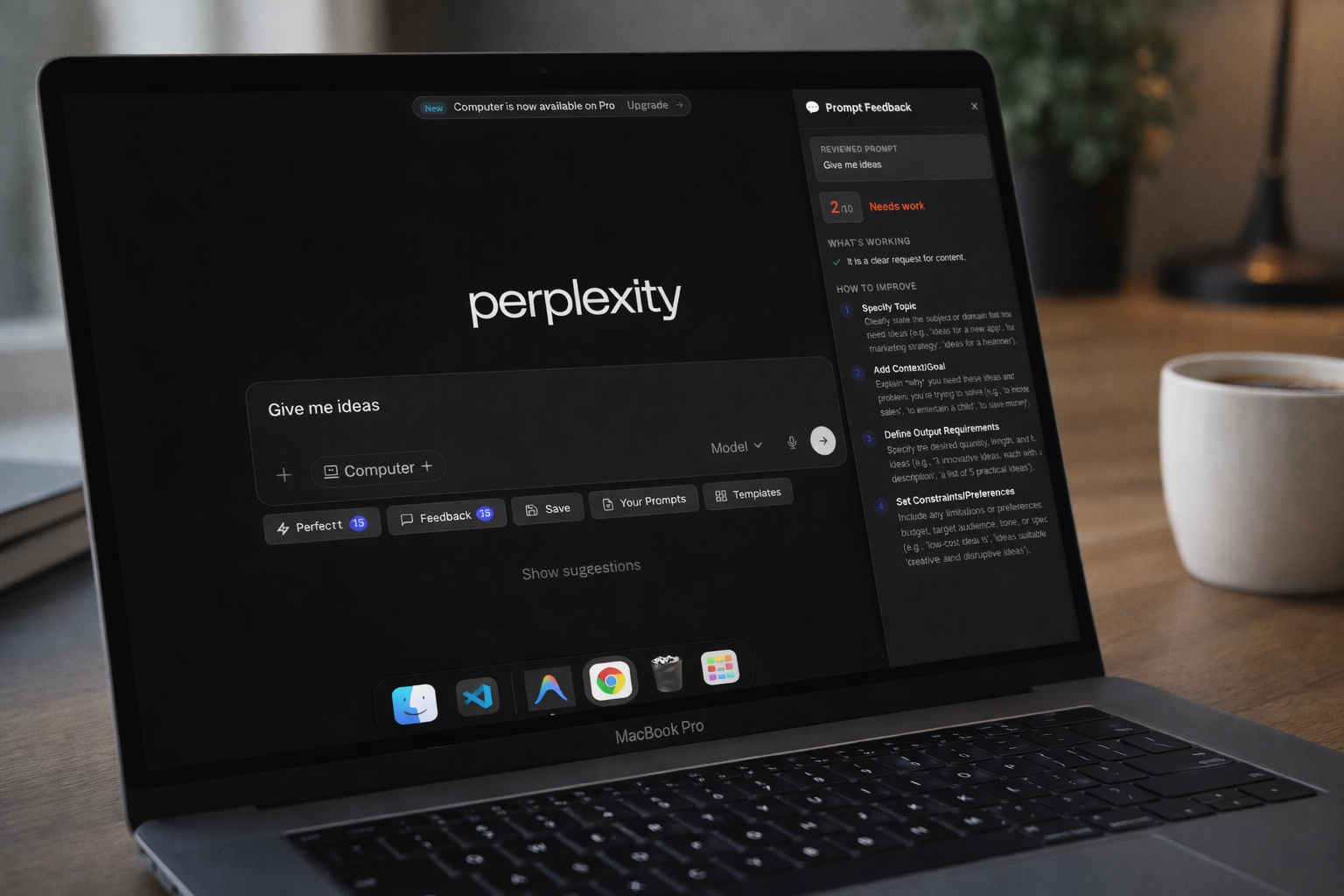
PerfectPrompt injects a floating toolbar next to the prompt box on supported AI platforms. From there, you can perfect a draft, get prompt feedback, save a useful prompt, reopen your saved prompt library, or start from a built-in template.
FAQ
PerfectPrompt is a Chrome extension for better AI prompts. It adds prompt improvement, prompt feedback, saved prompts, and prompt templates directly inside supported AI chat apps.
The current landing page and codebase list ChatGPT, Gemini, Claude, DeepSeek, and Perplexity as supported platforms.
Based on the current build, your Gemini API key and saved prompts stay in browser storage, and requests go directly from the browser to Google rather than through a PerfectPrompt backend.
Features
Perfect
PerfectPrompt analyzes what you typed, asks a few focused follow-up questions, and rewrites the prompt for clarity, specificity, and better outcomes.
Feedback
A side panel scores the prompt, highlights what is already working, and points out the most useful improvements to make next.
Reuse
Store prompts locally, open your saved library later, and drop the right prompt back into the active chat box without rebuilding it from scratch.
Template library
The current template library includes categories like coding, writing, image generation, research, and business, each with structured fields that help users fill in the right context before sending.
Setup / How It Works
Supported platforms
Privacy
Based on the current codebase, your API key is stored in Chrome local storage, saved prompts stay in browser storage, and Gemini requests go directly to Google rather than through a PerfectPrompt backend.
Download the ZIP, unzip it, and keep the extracted folder on your machine.
Open Chrome, go to chrome://extensions, and enable Developer Mode.
Click Load unpacked and select the extracted PerfectPrompt folder.
Open the extension Options page and paste in your Google Gemini API key.
Visit a supported AI chat app and use the floating toolbar beside the prompt box.
Download
Launch the current build
The ZIP contains the extension code for the current build. After downloading, unzip it first, then use Chrome’s Load unpacked flow.